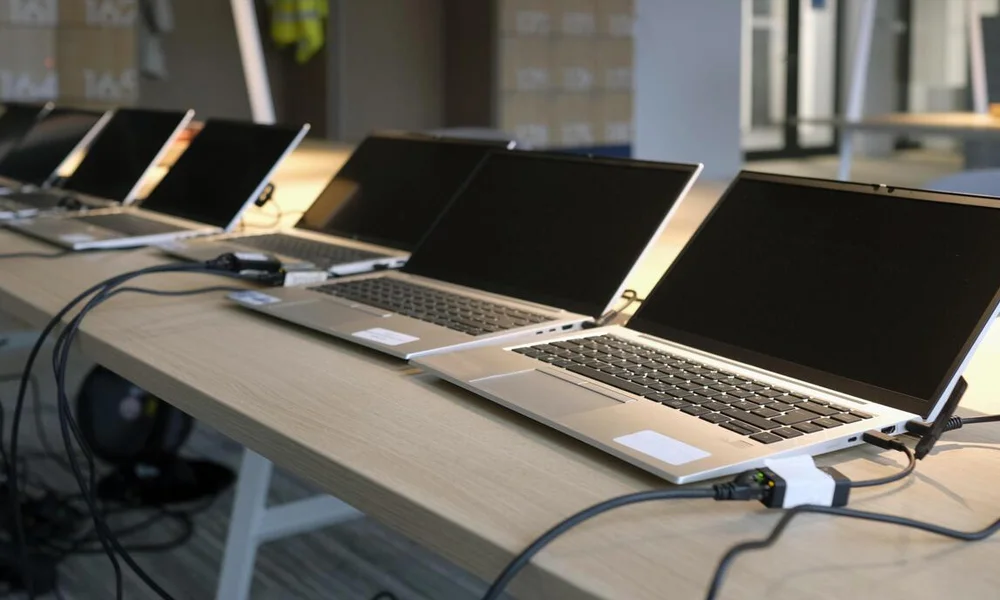
New office fit-outs rarely fail on budget. They fail on sequence. Someone orders the desks and the laptops first because those are the visible items, and then discovers in week five that the internet line takes six weeks to provision.
The order below is arranged by lead time, not by importance.
Start with the lead times
Order these before anything else, on the day the lease is signed:
- Internet connectivity. The longest lead item in almost every fit-out. Provisioning a business line in a new building can take weeks, and it cannot be compressed by paying more.
- Structured cabling. If the space is not already cabled, this has to happen before furniture goes in, not after.
- Servers and rack hardware, if you need them. Configured servers are built to order. Lead times are quoted per configuration and are frequently longer than laptop lead times.
- Anything with a long-tail specification. Specific monitor models, workstation GPUs and enterprise switches are less commonly held in stock than mainstream laptops.
Then the network
Nothing else works until this does, so specify it properly rather than buying the cheapest option that fits the port count.
- Switch with enough ports for today plus growth, and PoE if you are running access points or IP phones from it
- Wireless access points sized by coverage area and concurrent devices, not by headcount
- Firewall appropriate to the connection speed you actually bought
- UPS for the network rack — losing the switch in a power event takes the whole office down, and it is the cheapest single point of failure to protect
- A small rack or wall cabinet, with the patch panel and cable management included in the order rather than bought later
Then the devices
Decide the standard before you decide the quantity. Two or three tiers is usually the right number:
- Standard. 14–16 inch business laptop, mid-tier processor, 16 GB RAM, 512 GB SSD, Windows 11 Pro. Covers most staff.
- Power user. Higher processor tier, 32 GB RAM, 1 TB storage. Finance, engineering, anyone running large files or multiple environments.
- Specialist. Workstation with a professional GPU, for design, CAD or video. Buy these by name, not by tier.
Order all units of a tier in one batch. Identical machines mean one imaging process, one driver set and one spares pool. Splitting a forty-unit order across two purchase dates to fit a budget cycle usually produces two different sub-models and doubles your support work for four years.
Order two to three per cent spare units, minimum one. A failed laptop on day three of trading is a different problem when a replacement is in the cupboard.
The things people forget
- Docking stations and cables. Frequently left off the list, then bought individually at retail prices. One dock per desk, and confirm the port match with the laptop model before ordering.
- Monitors and mounts. Mounts are not included with monitors. Check the VESA pattern.
- Power distribution. Extension blocks, desk grommets, and enough sockets. Building electrics rarely match desk layout.
- Meeting rooms. Display, mount, camera, speakerphone and the cable to connect a visitor’s laptop. This is a complete sub-project that gets remembered a week before opening.
- Printing and scanning. Including consumables for the first quarter.
- Software licences. Operating system edition, productivity suite, security. Confirm what the hardware ships with rather than assuming.
- Asset register. Serial numbers, warranty end dates and assigned user, recorded at deployment. Building this later takes ten times as long as building it during unboxing.
A six-week timeline
Working backwards from the opening date:
- Week 6. Order connectivity and cabling. Confirm rack location and power.
- Week 5. Finalise device standards. Issue the requirement for quotation.
- Week 4. Place hardware orders. Confirm delivery dates in writing.
- Week 3. Cabling installed and tested. Network hardware delivered.
- Week 2. Network live. Devices delivered, imaged and asset-tagged.
- Week 1. Meeting rooms configured. Printers installed. Spare units set aside. Test everything with two or three real users before the full team arrives.